Beta: Avatar Video Beta
Make your photo talk with AI
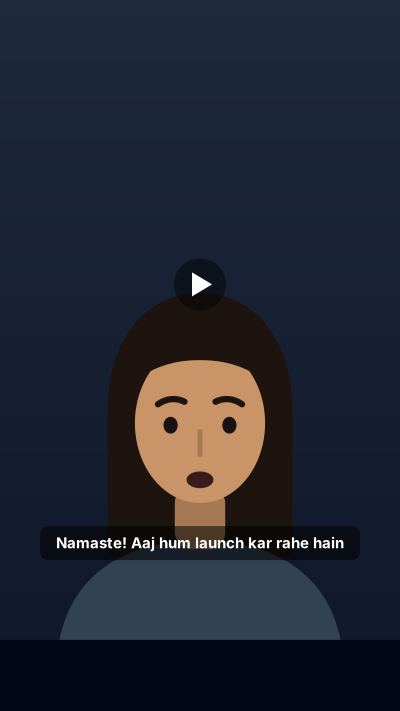
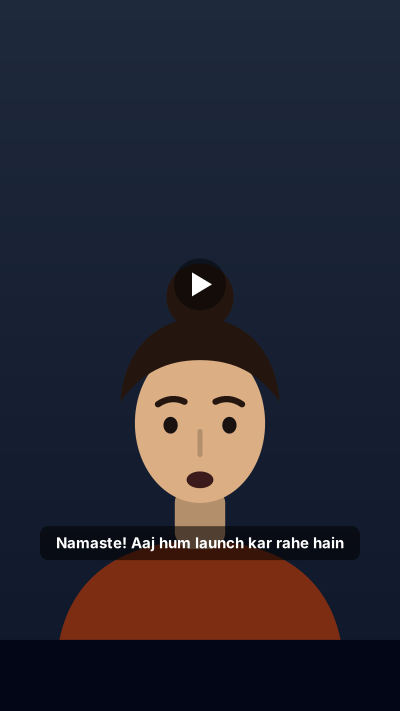
Use your own photo, write what you want to say in Hindi, Hinglish or English, and get a talking presenter video with lip sync, captions and a clear AI label.
Cost shown before you click, failed videos refunded automatically.
How it works in 3 steps
- 1
Pick the presenter: @me from My Models, or a Kritiverse avatar. The first time you use your own face, you record a 10 second live consent clip.
- 2
Paste the script, then choose a voice, language, framing (head and shoulders, half body, seated, standing) and background (studio, office, classroom, shop, home).
- 3
Choose a layout and captions, check the cost, and press Make video. The finished MP4 lands in your Library with the AI label added.
An AI avatar video generator turns a still photo and a script into a video of that person speaking the script, with the lips moving in time with the words. On Kritiverse the presenter is either you, from your own photo after a short live consent clip, or a Kritiverse avatar that is not a real person. You write or paste the script, pick a voice and a language, choose the framing, background and layout, and see the cost before you make it. It suits teachers making lesson intros, founders explaining a product, and shop owners answering common customer questions. Every video carries a visible "Made with AI" label by default. Avatar Video is in Beta.
Your face, with your consent
A talking photo of a real person is powerful, and easy to misuse. So the rule is simple: your own face, or a Kritiverse avatar. Your face goes in once through My Models, with a short live clip so we know it is really you. Someone else's photo, a celebrity, a politician or a child cannot be used, and one face cannot be registered by two accounts.
Layouts that fit the job
- Full frame: just you, for wishes, updates and short answers.
- Avatar plus slides: you in a corner over your slides, for course lessons.
- Picture in picture: you in a small window over a screen or a scene.
- Split with product: you on one side, the product on the other, for sellers.
Pick 9:16 for Reels and Shorts, 16:9 for YouTube, or 1:1 and 4:5 for Instagram. Captions can be clean, word by word or in Devanagari, and you can add your logo in a corner, a lower third or an end card.
What is not allowed
Avatar Video blocks expert personas: no AI doctor, lawyer or financial adviser giving advice, because viewers can be misled and YouTube does not monetise such content. No fake customer testimonials either. In ads, ASCI guidance asks for a "created using AI" label. This is not legal advice.
Example: a seller's care video (Made with AI)
Presenter: @me (consent clip recorded)
Script:    नमस्ते, मैं रीना हूँ। आज बताऊँगी कि हमारे जयपुर के हैंड ब्लॉक प्रिंट कुर्ते कैसे धोएँ।
Voice:     Warm, Hindi
Layout:    Split with product, 9:16, Devanagari captions, logo corner
Voices and the next steps
Pick a library voice from the AI voice generator, or your own if you have cloned your own voice. Write the script with the AI script writer, then trim or join clips in the browser Video Editor. The full rules sit in the AI content policy.
In Hindi and Hinglish
Avatar Video से आपकी अपनी फ़ोटो एक बोलने वाली वीडियो बन जाती है। फ़ोटो लगाइए, स्क्रिप्ट हिंदी, हिंग्लिश या अंग्रेज़ी में लिखिए, आवाज़ चुनिए, और होंठ शब्दों के साथ हिलते हैं। पहली बार अपना चेहरा इस्तेमाल करने पर 10 सेकंड की लाइव सहमति क्लिप रिकॉर्ड करनी होती है। किसी और की फ़ोटो, किसी नेता या मशहूर हस्ती का चेहरा इस्तेमाल नहीं हो सकता। हर वीडियो पर "Made with AI" लेबल पहले से लगा आता है। यह टीचर के लेसन, दुकान के प्रोडक्ट समझाने और त्योहार की शुभकामनाओं के लिए काम आता है।
Hinglish mein short: Photo ko bolne wala video kaise banaye? Apni photo lagao, script likho, voice chuno. Pehli baar 10 second ki consent clip. Kisi aur ka chehra nahi chalega. Har video par AI label, cost pehle dikhti hai.
Questions
Is the AI avatar video generator free?
Failed videos are refunded automatically.
Can I use my father's or my client's photo?
No. Avatar Video uses your own face, after a live consent clip, or a Kritiverse avatar that is not a real person.
Which languages can the avatar speak?
Hindi, Hinglish and English, plus other Indian languages such as Tamil, Bengali, Marathi and Telugu, depending on the voice you pick.
Can I remove the "Made with AI" label?
The label is on by default because India's rules on synthetic media and ASCI guidance for ads ask for clear disclosure. Keep it on, and use YouTube's altered or synthetic content setting where it applies.
Can I use avatar videos in ads?
Yes, with the AI label, and only with your own face or a Kritiverse avatar. Do not present an avatar as a real customer giving a review.
Does it work on mobile?
Yes, in the phone browser. You can record the consent clip with your phone's front camera.
Next steps in the workflow
Say it once, in your own face
Turn your photo and script into a talking video in Hindi or English, labelled and with your consent.
Make my photo talk