Thumbnail studio
AI YouTube thumbnail maker with perfect Hindi text
Pick your video's category and a template, add your face and a few words in Hindi, Hinglish or English, and get three different thumbnail ideas, ranked with reasons. The text is drawn as its own layer, so Hindi matras come out right.
Cost shown before you click, and failed generations are refunded automatically.
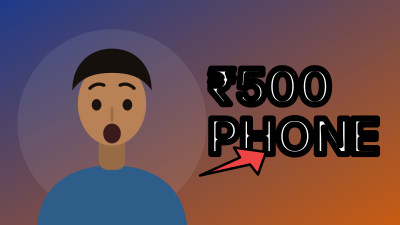

How it works in 3 steps
- 1
Type the title and one line on what the viewer gets. Pick the category and a template, such as Reaction, Before and after, or Story.
- 2
Add your face as @me, a product or an object photo, and the words for the thumbnail in Hindi, Hinglish or English.
- 3
Compare concepts A, B and C, read why each one ranks where it does, edit the text layer if needed, and export.
A YouTube thumbnail maker builds the small picture people see before they decide to click your video. Kritiverse Thumbnail is an AI thumbnail generator made around Indian channels. Start with your category, such as tech, exam prep, cooking, devotional or kids stories, pick a template, add your face from My Models, and type the words. You get three ideas that differ in concept, not just colour: one led by your face, one by the object or result, one by a number or comparison. Each is ranked with reasons and checked against what your video really delivers.
Hindi text that reads right
Image models often garble Devanagari: broken matras, missing half letters, a shirorekha that does not join. So the image is made without text, and Kritiverse draws your words on top as an editable layer with proper Indic shaping, bold weights and room for matras. Want the same thumbnail in Hinglish? Switch the language without making a new image.
Three concepts and a promise check
A thumbnail that promises more than the video delivers gets the click and then loses the viewer. Kritiverse checks each concept's words, numbers and scenes against your title and summary, and warns or blocks when they do not match. Some categories add a stricter safe mode: kids content stays gentle, devotional imagery stays respectful, and finance blocks "guaranteed returns" style claims. The text should add something the title does not say, so get the title right first in the AI script writer and the opening line in Hook Lab.
YouTube thumbnail size and export
YouTube thumbnails are 16:9, and 1280 x 720 pixels is the size most creators upload. Kritiverse exports a large master plus a 1280 x 720 copy for the phone app, and a pack of three images with matching titles for YouTube's Test and Compare. Keep faces and words away from the bottom right corner, where YouTube shows the video length, and check YouTube Help for current limits.
Example: a tech channel (Made with AI)
Category: Tech and gadgets
Title:    I used a ₹500 phone for 7 days
Text:     "7 DIN, ₹500" (Hinglish) or "7 दिन, ₹500" (Hindi)
A:        Face, curious look, holding the phone up
B:        The phone alone on day 7, a red circle on the screen
C:        Day 1 vs day 7 split, with a tick and a cross
The promise check passes B only if the video really shows that day 7 screen.
Your face, with permission
Before a face is used you tick that the photos are of you, or that you have the person's permission. A saved face (@me) needs a short live selfie check, and faces that match a well-known person are blocked. Need a clean cut-out of a product first? Use the background remover.
In Hindi and Hinglish
थंबनेल कैसे बनाएं, यह सवाल हर नए YouTuber के मन में होता है। Kritiverse Thumbnail में पहले अपनी वीडियो की कैटेगरी चुनिए, जैसे टेक, पढ़ाई, खाना या भक्ति, फिर टेम्पलेट, अपना चेहरा और दो तीन शब्द। आपको तीन अलग आइडिया मिलते हैं, कारण के साथ। हिंदी टेक्स्ट Kritiverse अलग लेयर पर लिखता है, इसलिए मात्राएँ और आधे अक्षर सही आते हैं और शब्द बदलने के लिए नई इमेज नहीं बनानी पड़ती। थंबनेल वही वादा करे जो वीडियो में है, वरना दर्शक लौट जाता है। हर क्लिक से पहले कीमत दिखती है।
Hinglish mein short: Thumbnail kaise banaye? Category aur template chuno, apna face aur 2 ya 3 words daalo. Teen alag ideas milte hain, reasons ke saath. Hindi text sahi aata hai kyunki woh alag layer par likha jaata hai. Cost pehle dikhti hai.
Questions
Is the YouTube thumbnail maker free?
After that, each thumbnail uses credits, and the cost shows before you click. Failed generations are refunded automatically.
Do I need to sign up?
Yes, a quick login with your mobile number, so your thumbnails, face and Brand Kit are saved for the next video.
Will the Hindi text have spelling mistakes?
The words you type are drawn exactly as you type them, as a text layer, not by the image model. Check your own spelling before you export, and fix it in the layer if needed.
Will a better thumbnail get me more views?
No tool can promise views. A clear, honest thumbnail that matches the video gives it a fair chance. Test the three concepts with YouTube's Test and Compare where your channel has it.
Which size should my YouTube thumbnail be?
16:9, at 1280 x 720 pixels, the common upload size. Kritiverse exports that size along with a larger master.
Does it work on mobile?
Yes, in the phone browser. Before you upload, see how it looks small on the free YouTube thumbnail preview.
Next steps in the workflow
One video, three honest thumbnail ideas
Category first, Hindi text that reads right, cost before every click.
Make a thumbnail